
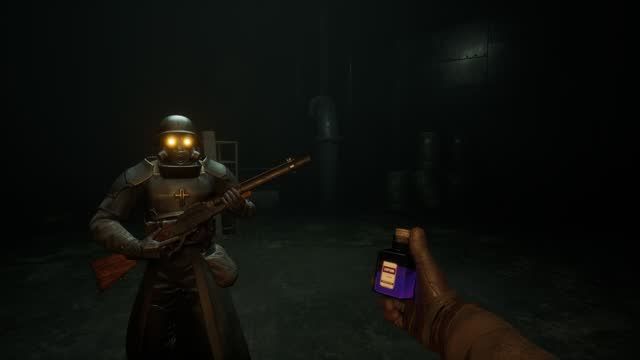
FEAR OF FAITH is a Windows PC Early Access game using Unreal Engine 5. Start with Steam’s hardware requirements, then distinguish a general hardware limit from a specific save or location bug before replacing equipment or restarting progress.
Steam PC requirements
| Component | Minimum | Recommended |
|---|---|---|
| OS | Windows 10, 64-bit | Windows 10, 64-bit |
| CPU | Intel i5 or newer-generation i3 / AMD equivalent | Intel i7 or AMD equivalent; Steam also names AMD FX 9500+ Series |
| Memory | 16 GB RAM | 16 GB RAM |
| Graphics | GeForce GTX 1060 6 GB | GeForce RTX 3060 |
| DirectX | 11 | 12 |
| Network | Broadband connection | Broadband connection |
| Free storage on Steam | 15 GB | 15 GB |
Steam lists Windows support; its platform fields do not list macOS or Linux. A PC GPU recommendation is not a console or Steam Deck performance guarantee.
Keep space for installation and patches
Steam lists 15 GB, while the developer website lists 18 GB available space. Keep at least the larger allowance available, plus room for patch processing, and use the Steam client’s actual download and install requirement on your machine.
Match the symptom to the fix
- Hub becomes slow after repeated loads: install 0.06.003 and revisit the affected existing save before considering a restart.
- Shots or projectiles stop at Ashen Parish spawn: the same patch repairs spawn-area collision. It is not a graphics-quality setting.
- Client quick spells reset after teleporting: 0.06.002 repairs the assignment reset. Check the bar after the transition.
- Cannot stand while holding a shield or boombox: 0.06.002 fixes that interaction.
- Ringing or muffling after shots: identify the firearm variant and use AUDIO’s Tinnitus Effect setting. November’s Redeemer and Louder changes concern the effect, not a new hardware requirement.
A useful performance comparison
After updating, compare the same save, area and display settings rather than a busy Hub against an empty corridor. Note the installed version, resolution, graphics options, GPU and whether the problem occurs solo or as a client. Change one option at a time so the result is useful if you need to report the issue.
Historical 0.05.007 temporarily disabled AMD FSR Frame Generation while keeping FSR available. Check the installed build’s menu for current options rather than assuming an old frame-generation notice remains the only explanation for a missing toggle.
Q&A
What is the minimum GPU?
Steam lists NVIDIA GeForce GTX 1060 6 GB, with RTX 3060 recommended.
Does the Hub fix require a new save?
The 0.06.003 Golden Gun accumulation fix applies retroactively. Keep the existing save and update first for that specific slowdown.
How much disk space should I allow?
Steam lists 15 GB and the developer site 18 GB. Allow at least 18 GB plus patch room, then follow the client’s actual installation requirement.